Blog
Tips and insights on inventory management, insurance, and digital organisation.
Why I built OWNAMIC.

Learn the story behind OWNAMIC. What a priest and a grocery store have to do with it, and how I integrate the platform into my own daily life to make room for what truly matters.
Read the full founder's story →
What finance apps do well – and what I needed something else for
Multibanking shows what is sitting in your accounts. What I own and can prove is not in there – why OWNAMIC is built around the object.
Read more arrow_forward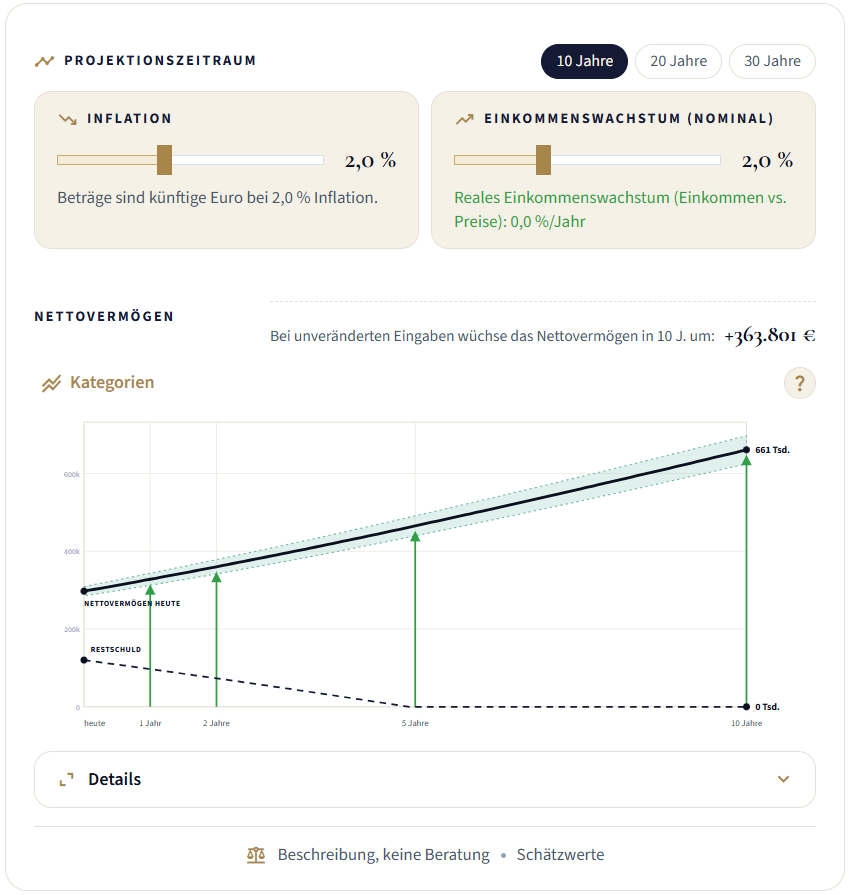
Carrying Your Net Worth Forward: Your Bank Balance Is Only Half the Truth
A current account shows liquidity, not wealth. What an honest carry-forward of your net worth needs – and how the Big Picture in OWNAMIC deterministically carries net worth, remaining debt and monthly flows forward over 10, 20 or 30 years.
Read more arrow_forward
Why Writing Down Your Progress Helps You Reach Your Goals – and How OWNAMIC Puts This Effect to Work
Reaching goals by writing progress down: what the research on self-monitoring shows – and which principles lie behind the Household Ledger, the Big Picture and the Letting-Go Balance.
Read more arrow_forward